
Roadscape is past the mockup stage.
This page separates the evidence from the sales page: real traffic video loaded into the editor, screenshots from the working UI, a saved segment/report smoke test, and corridor-simulation sweep results. Roadscape shows real counts, working UI, saved runs, exports, and simulation evidence. Packets sold as engineer-reviewed work are routed through a third-party licensed civil/traffic engineer for review or sign-off.
Real TW3 validation footage encoded as WebM so the browser editor can load it reliably.
What is verified
These are working pieces from the local build, not future promises. The validation bar keeps rising as more field clips, hand counts, official data, and review logs are attached.
Traffic Editor loads real video
The TW3 clip is now in the sample library and loads through the same browser path a user would use.
Segments can be saved
Counter name, corridor, direction labels, time window, confidence, count mode, and line setup are saved for repeat runs.
Reports carry evidence
The generated HTML report includes counter segments, settings, screenshots, export data, assumptions, and caveats.
Procurement-grade bar
This is the A+ lane Roadscape is building toward for buyers who need a defensible packet, not just a demo: validation clips, official data, repeatable protocol, and review logs tied to the export.
20-50 hand-count clips
Representative clips across day/night, camera angle, volume, weather, vehicle class, bikes, pedestrians, and difficult turns.
Formal study protocol
Camera placement, count-line rules, time-window selection, inclusion/exclusion definitions, repeat-run steps, and field-note templates.
Engineer review lane
Paid reviewed packets route through a third-party licensed civil/traffic engineer. If it does not pass, Roadscape shows what must be measured or revised.
Privacy and legal packaging
Permissioned footage, redaction where needed, no identity claims, retention boundaries, and clear reviewed-vs-self-serve labeling.
Official data overlays
Crash sources, agency counts, signal timing, roadway inventory, project docs, and public records kept separate from Roadscape estimates.
Auditability
Versioned model logs, hashes, timestamps, source receipts, screenshots, JSON exports, validation clips, and reviewer notes.
Traffic Editor screens
The working UI is moving toward a full desktop editor feel: media in, segment setup, scan, validate, export.
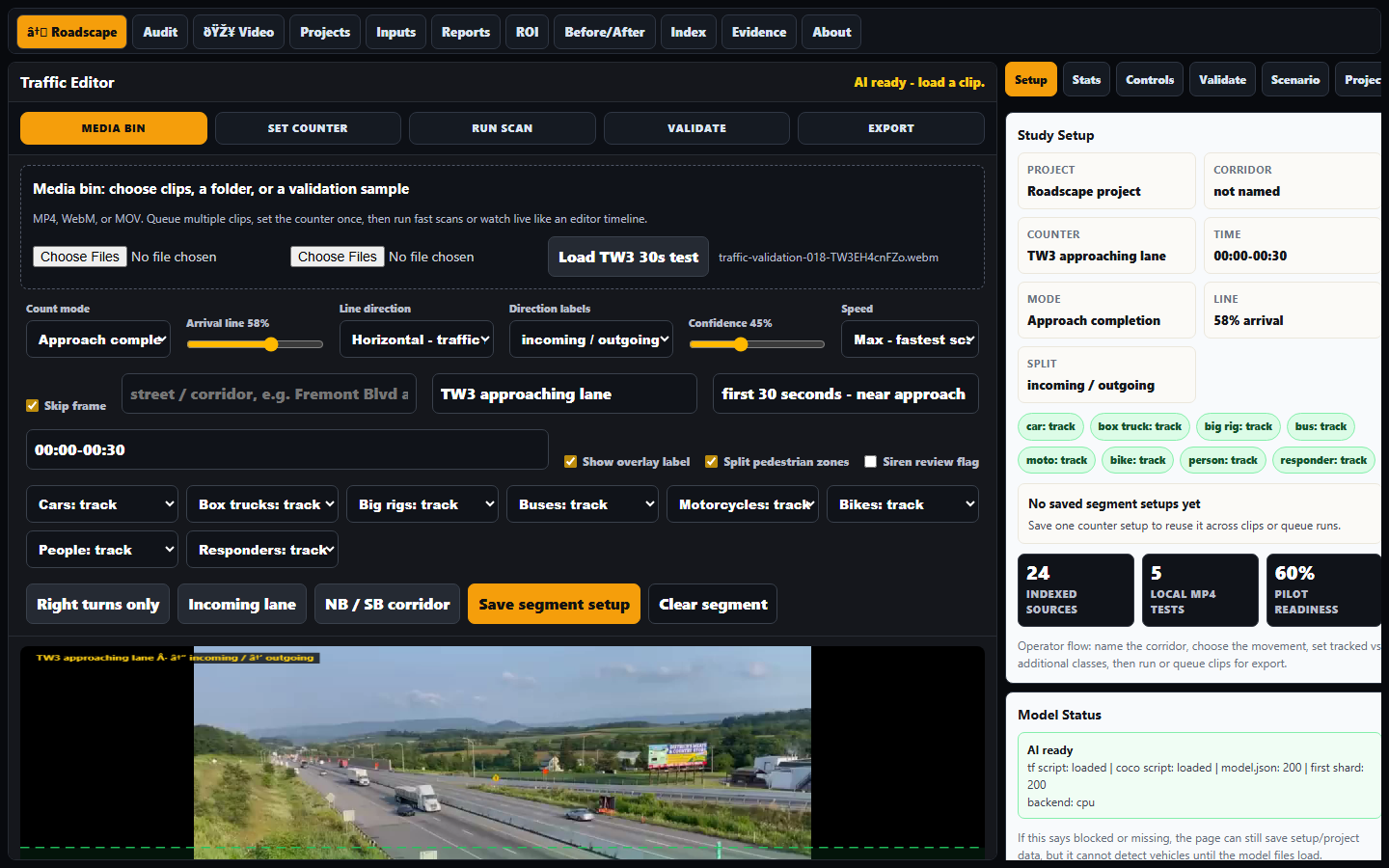
TW3 clip loaded in the editor with the real video frame visible.
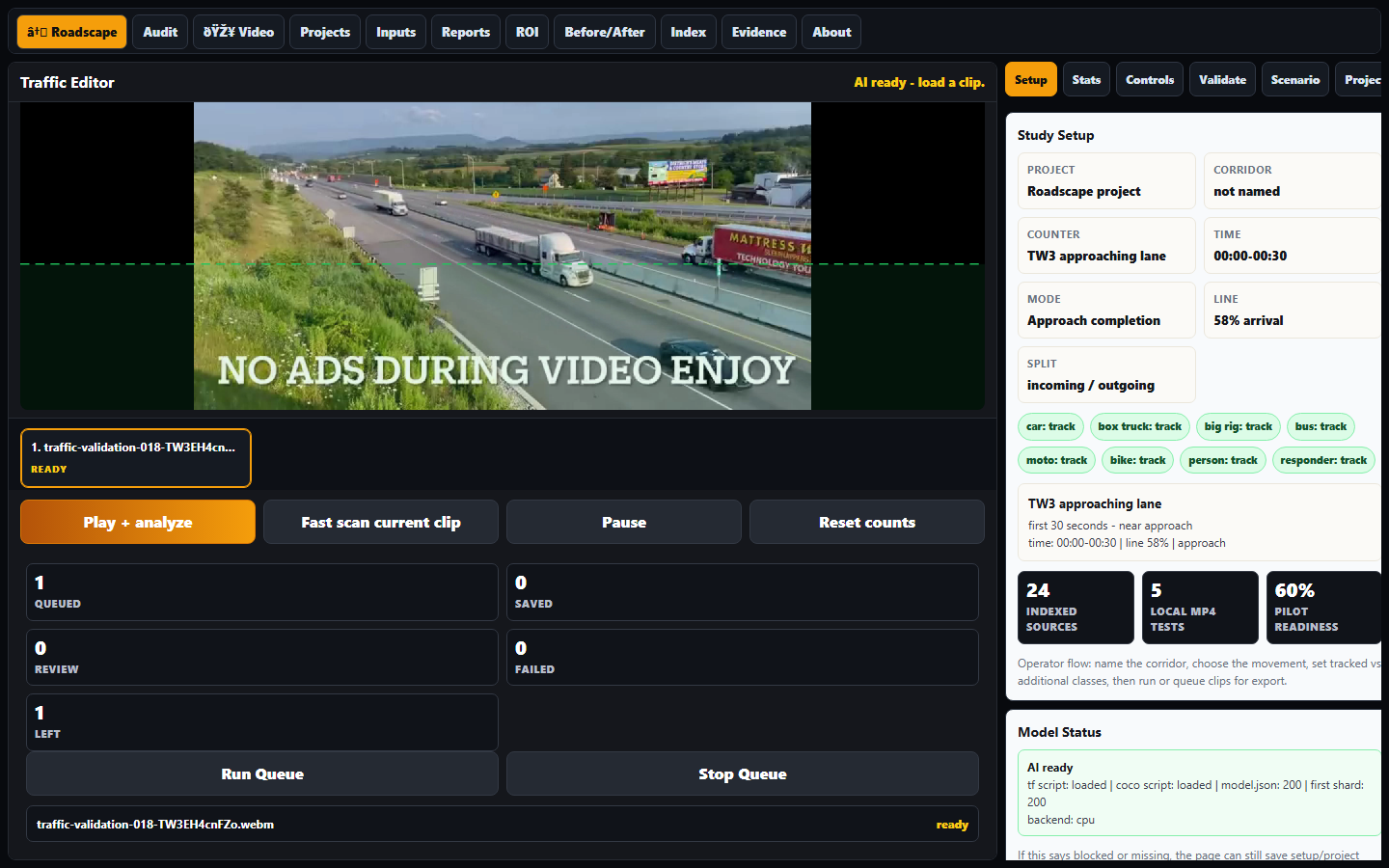
Fast-scan pass running through the UI, preserving the visible count and setup context.
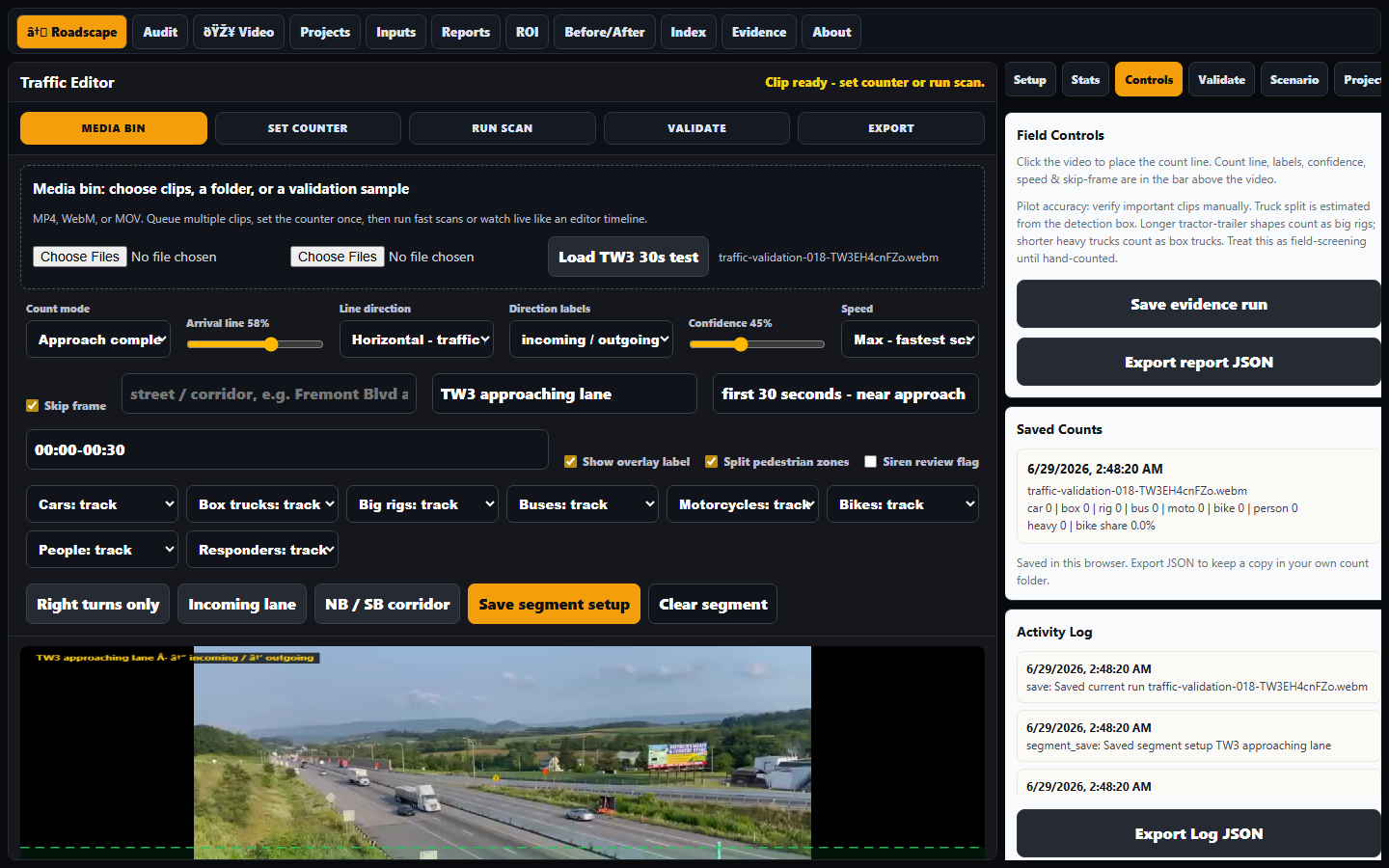
Report smoke test: counter segment data appears in the exported report.
Live software run: video analysis visible as an active Roadscape workflow, not a stale queue screenshot.
Running validation wall
Four moving clips are shown together: real traffic footage, the live software run, and two modern corridor-simulation clips. The stills below stay as audit screenshots.
TW3 validation footage: trucks, wide-view movement, and direction stress.
Roadscape running through the local video-analysis workflow.
Modern corridor sim: green-wave timing, turn-pocket geometry, EV/Tesla mix, and live queue behavior.
Bad-coordination corridor sim: platoons hit the red and queue pressure builds.
Editor loaded with real traffic footage and the current workflow view.
Fast-scan evidence with modern editor controls and visible count context.
Report export check: segment data flows into the evidence export.
Corridor-sim sweep
The sim is for planning explanation, not final engineering. It shows how signal coordination, right-turn demand, narrowed capacity, and platoons can change delay and queue behavior. The full sim runs LIVE below — it is not a screen recording.
Live real-scale 3D micro-sim of Fremont Blvd @ Mowry Ave — drag to look around, switch Driver / Overhead / Corner views, run it. Real dimensions, AASHTO turn radii, protected-left signal. Open the full tool ->
| Scenario | Before delay | After delay | Residual queue | Green flow | Read |
|---|---|---|---|---|---|
| Bad coordination, 1600/hr | 5s | 6s | 17 -> 16 | 17 -> 16 | Delay shows narrowed-capacity penalty |
| Green wave, 1600/hr | 0s | 7s | 0 -> 6 | 16 -> 19 | Coordination helps, geometry still matters |
| Bad coordination, high right-turn | 4s | 5s | 17 -> 16 | 17 -> 16 | Delay remains the clean pitch metric |
| Bad coordination, 1100/hr | 3s | 4s | 12 -> 12 | 12 -> 12 | Lower volume still shows a small penalty |
Simulator video: bad coordination, 1600/hr, right-turn pressure, freight mix.
Simulator video: green-wave timing with turn-pocket geometry and EV/Tesla mix.
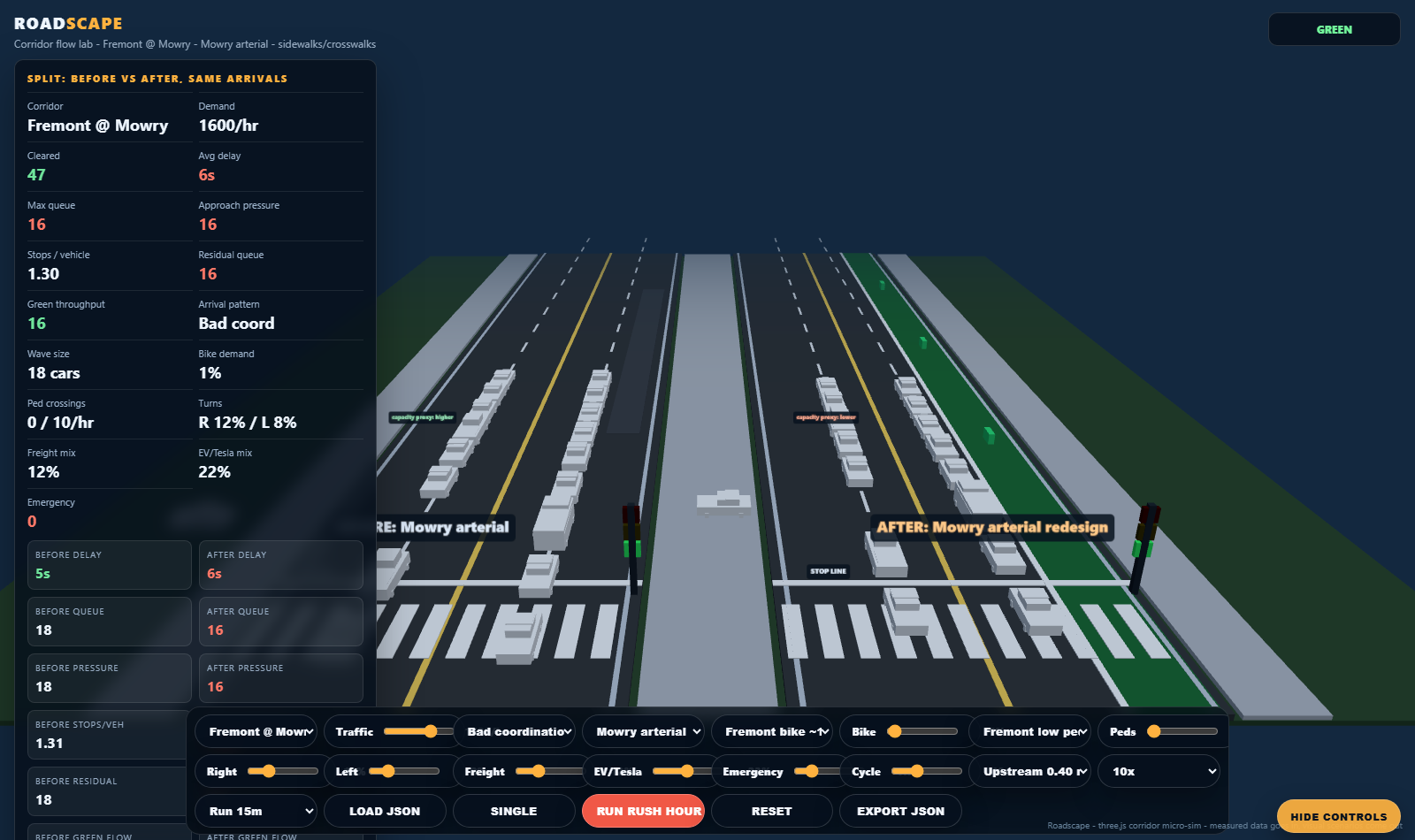
Still screenshot stays in: bad coordination scenario with platoons stacking delay.
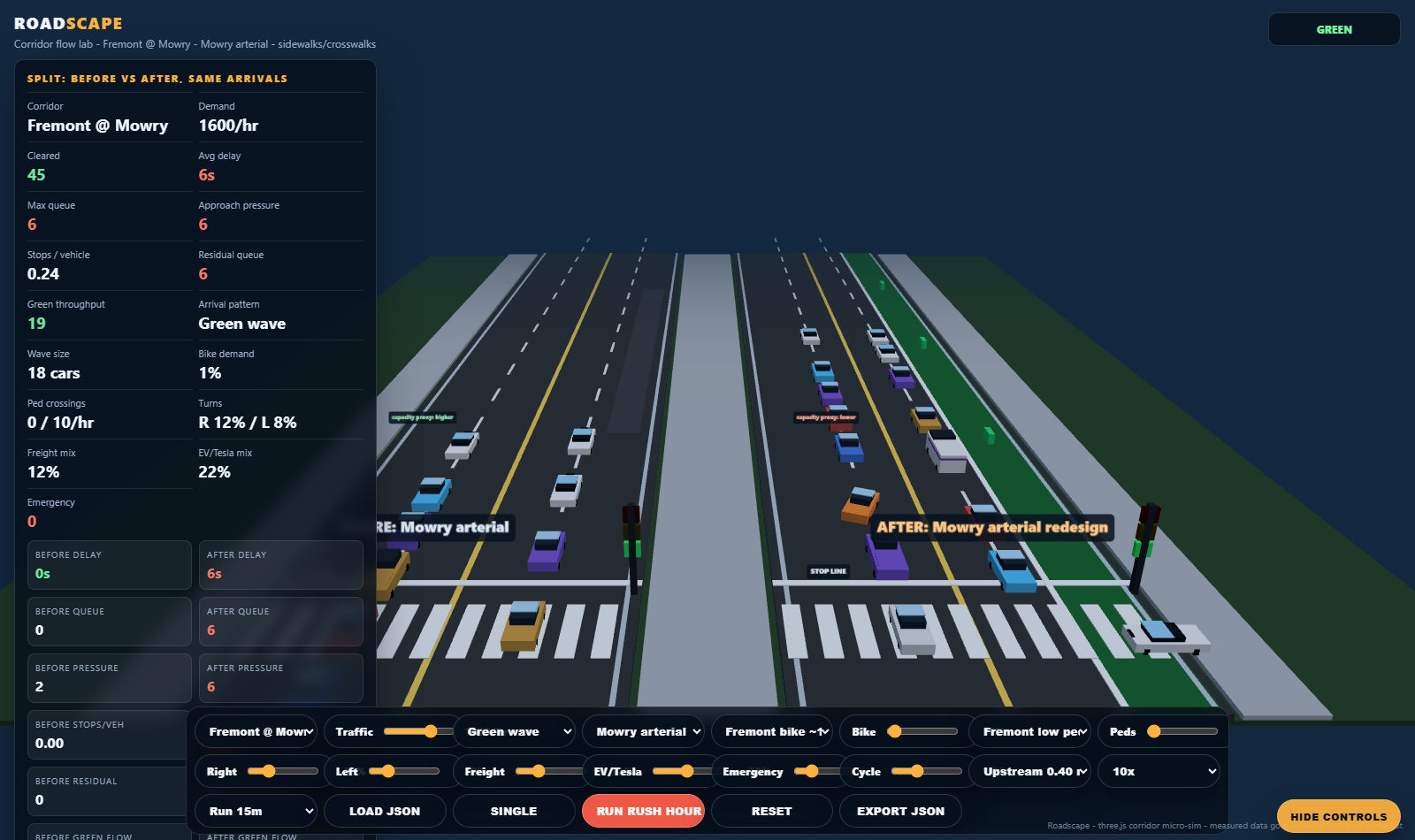
Still screenshot stays in: green-wave scenario for quick report reference.
Fremont-style sim run: protected-bike geometry, platoon arrivals, heavier freight, and a higher EV/Tesla mix shown as a moving planning layer.
What this means now
Roadscape shows the working evidence chain: editor, real clip, saved setup, export, simulation, and report language. Self-serve tools give working analysis; reviewed packets add field footage, hand-count baseline where needed, official data, and third-party licensed engineer review.