Analyze streets before cities rebuild them.
Roadscape is live and working now - a street-intelligence platform for cities, contractors, engineers, and residents who need road decisions backed by evidence, not just a video tool. It covers the full picture of a corridor: traffic data, crash context, housing growth, lane geometry, truck load, emergency access, pedestrian exposure, proposed schematics, cost, and performance forecasting before a change is built, then evidence after. Roadscape reads the design outlook, shows why a plan should move forward or be reworked, and suggests better options with the evidence attached. Roadscape produces self-serve outputs, route-risk checks, and engineer-reviewed corridor packets when purchased at that tier. When a packet is sold as an engineer-reviewed product, it is reviewed or signed off by a third-party licensed civil/traffic engineer for that jurisdiction. Self-serve outputs stay clearly separated from reviewed engineering conclusions.
The full scope
Roadscape is built to become the planning and evidence layer between proposed street designs, real traffic conditions, public datasets, and post-build performance.
Pre-design intelligence
Before concrete, striping, medians, turn pockets, or bike-lane changes are approved, Roadscape organizes likely traffic, safety, emergency-access, freight, maintenance, and pedestrian impacts.
Scenario performance
Compare current geometry against proposed schematics: lane width, turn radius, queue delay, new housing demand, truck mix, commute windows, cost, and expected performance change.
Design recommendations
Roadscape should not only count what happened. The end point is showing the design outlook, explaining why, and suggesting a better layout or next study step with data, assumptions, and reviewer notes attached.
Working demos and Pro products
Three usable demos are public: Video Analyzer, Swept Path Pro, and the 2D swept-path lab. Facility Route Risk is shown as a Pro product preview because warehouse, HOA, dock, and parking-lot layout work needs scoped access.
See the live traffic workflow.
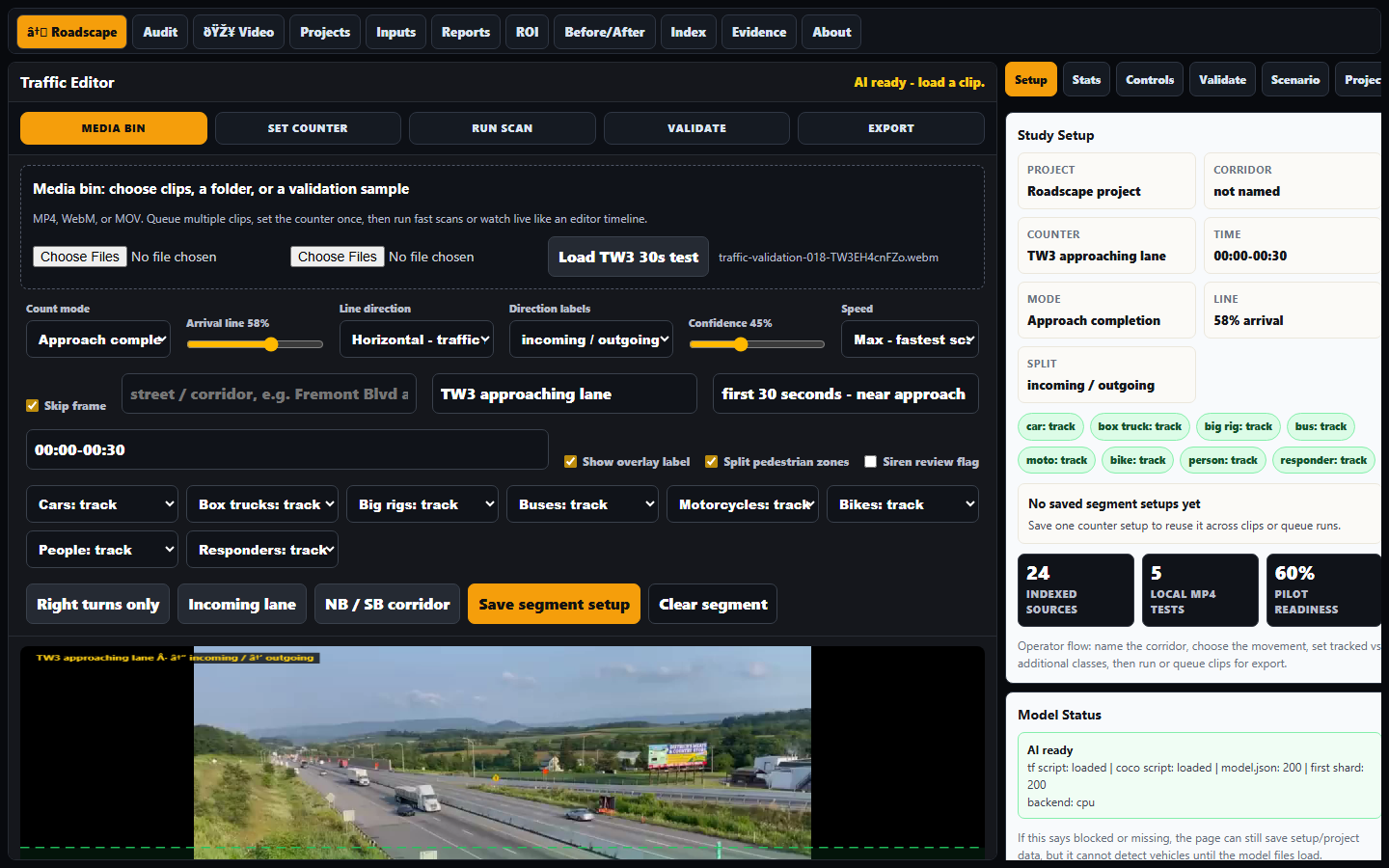
Open the browser video analyzer, load footage, place count lines, run a fast scan, queue clips, save results, and export evidence packets.
Run the full product workflow.
Use presets, fleet vehicles, EVs, speed checks, best-setup comparison, rub zones, run logs, JSON export, and the 3D handoff from one browser tool.

See the run in a presentation view.
Open the same turn in 3D, orbit the scene, switch to driver/curb/behind views, and show red overrun where the body or tire leaves the usable road.

Preview the warehouse, HOA, and dock-yard workflow.
Product preview: site templates, perimeter fences, neighbor structures, dock/garage doors, roads, bay rows, semi backing paths, and transparent red conflict zones.

The evidence engine
What turns raw corridor video into a review-ready packet a consultant, developer, or fleet can act on - fast. Analysis-grade, not PE-stamped; the licensed engineer signs off in the review lane.
Automated Treatment Matcher
Drop in the traffic-count JSON; Roadscape flags which treatments the data screens for - with the reasons and FHWA / CMF evidence references attached. Phrased as "matches Roadscape analysis criteria using FHWA/CMF references" - never a stacked or stamped crash-reduction claim.
Bulk Clip Processor
Queue 10+ clips (upload or link), run them in the background, review the exceptions. Turns a week of corridor footage into a count table + evidence stills without hand-counting every car - per-clip confidence and a manual-correction lane.
Ground Truth Table
A public, computed accuracy page: clip ID, human hand-count vs. Roadscape count, median error, by class where available. Real bands, not marketing - the number is computed, and that is what earns "analysis-grade" trust.
Engineer Review Lane
Every packet ends with a clean PE sign-off block - license #, firm, CA-MUTCD / Caltrans HDM compliance notes, signature + stamp. Roadscape never stamps; it hands the engineer a report already formatted for theirs.
What Roadscape costs
Public pricing is split cleanly: low-cost self-serve tools for people who run checks themselves, plus custom services for packets, white-label work, fleet audits, and enterprise programs. For services, email first; Roadscape sends the signup and Stripe payment link after scope is confirmed.
For residents, students, and basic review.
- 2D Swept-Path Lab
- Core 3D simulator
- Single-clip video workflow
- Screenshot export
For prosumers, small consultants, and fleets running their own checks.
- Swept Path Pro
- Facility route-risk checks
- PDF / PNG / JSON export
- Custom vehicle templates target
- $199/year annual target
For city, fleet, and team workflows that need users, onboarding, support, and custom libraries.
- Unlimited reports target
- Custom vehicle libraries
- Team onboarding
- Scaled by city or fleet size
Done-for-you packets and white-label consultant support stay separate from SaaS pricing. Email Roadscape services first; signup and Stripe payment links are sent after scope is confirmed.
- Corridor packet: $1.5k-$3.5k target
- Firm white-label engagement
- Fleet route-risk audit
- Engineer review lane support
Analysis-grade and operational evidence only. Official engineering conclusions still require qualified professional review.
Live editor proof
The product view now leads with the real Traffic Editor: load a real clip, define a named segment, run the scan, inspect counts, and export a report-ready packet. The old queue/setup mock shots are retired from the main proof view.
Real TW3 traffic clip loaded in the editor with the roadway frame visible and ready for segment setup.
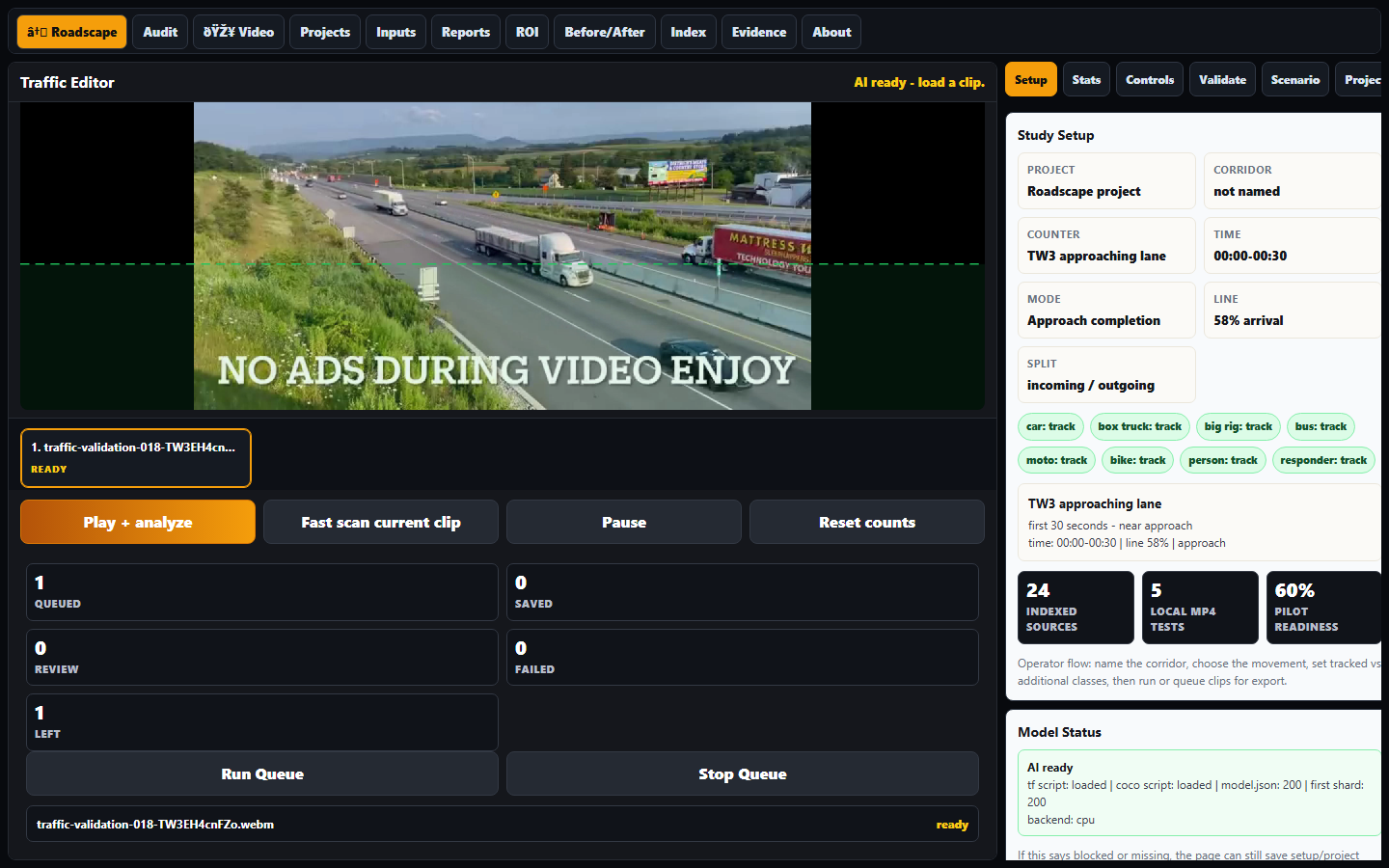
Fast-scan view: visible count context, editor controls, and evidence that this is running as software.
Validation
Real test footage, Traffic Editor screenshots, segment exports, and the corridor-sim sweep are separated into their own validation page so the landing stays clean.
Roadscape prepares the evidence packet. Engineer-reviewed packets are routed through a third-party licensed civil/traffic engineer before being sold or represented as reviewed work.
See review tiersEmail Roadscape services
The analyzer now loads the verified TW3 traffic clip as a WebM sample, with a segment workflow and report export smoke-tested from the actual UI.
Open analyzer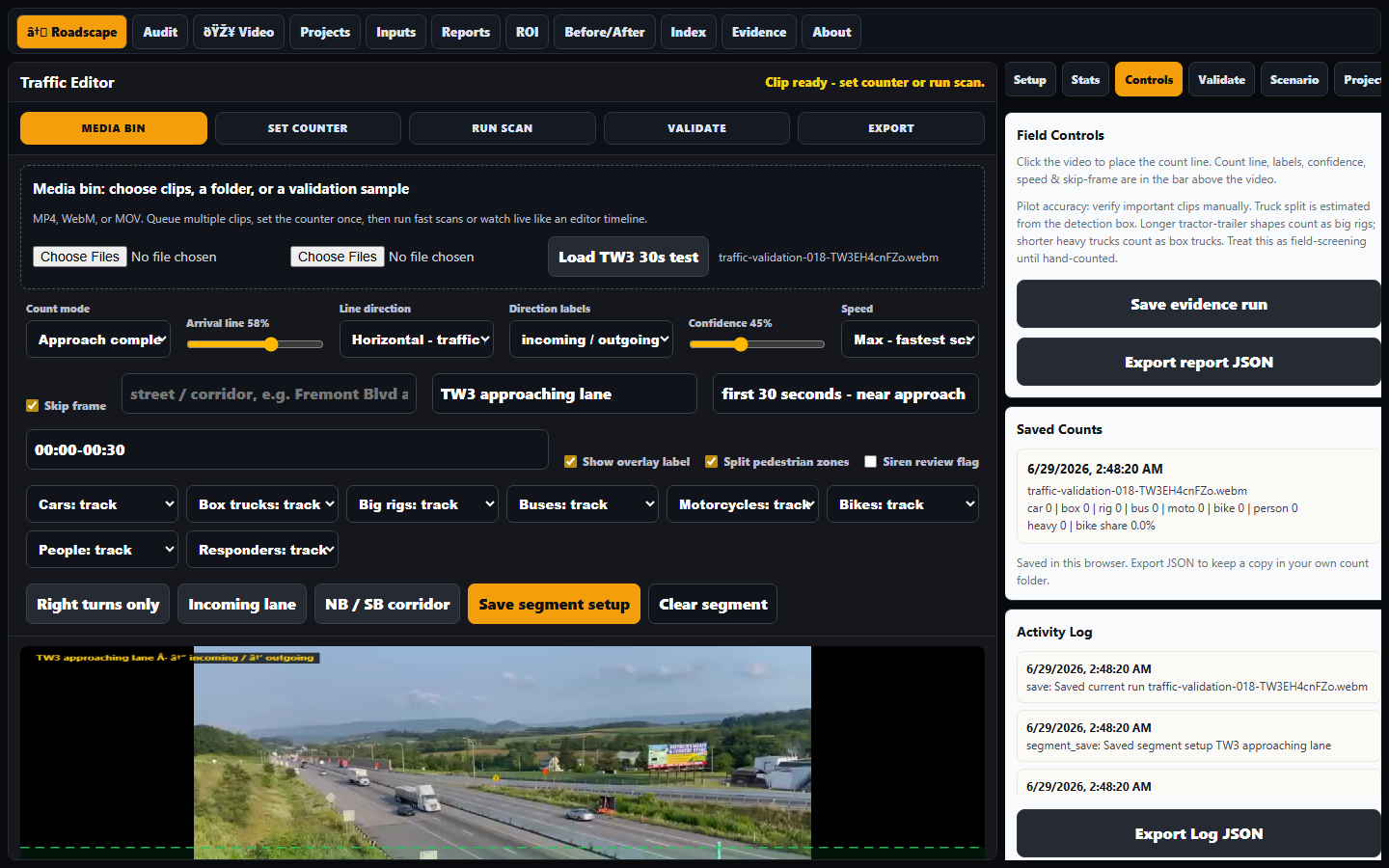
Public corridor preview: a treatment card showing evidence, backfire risk, and required measurements as a normal reference layer.
Packet preview
This is a short public sample, not city-related and not expanded internal analysis. It shows how Roadscape sorts one treatment by evidence, backfire risk, and required measurements before any official review.
Open corridor previewWorking pilot
Reviewed packet system
Reality checks
Food-for-thought figures that show why measurement matters. These are planning illustrations until a corridor study uses verified local counts.
If a corridor carries 25,000 vehicles/day and a redesign adds 20 seconds each, that is about 50 million seconds of driver time per year.
That same example equals roughly 13,900 hours/year. Roadscape separates raw counts from this kind of estimate so reviewers can challenge the math.
Credibility comes from hand-count validation by class when a reviewed packet needs it: cars, trucks, bikes, peds, responders, and turns.
The saleable output is one clean packet: scope, privacy, counts, charts, screenshots, caveats, engineer review lane, and recommendations.
Team roles
Roadscape needs practical builders and licensed reviewers. They are not the same role, and that distinction is part of making the company credible.
Construction PM / supervisor
A project manager from large builds can help with field process, jobsite reality, documentation discipline, scope, budgets, contractor language, and city-facing operations. This is a strong early teammate.
Licensed civil / traffic engineer
For official road-design conclusions, stamped recommendations, signal/geometry decisions, or pavement claims, Roadscape needs review by the properly licensed engineer for that jurisdiction.
Two-lane model
Let the PM run execution and field protocol. Let the engineer validate assumptions, limits, calculations, and recommendations. Roadscape produces the evidence packet between them.
How packets become review-ready
Code, geometry, and field evidence are the engine. Roadscape organizes the footage, measurements, assumptions, and export chain so a third-party licensed reviewer can evaluate it clearly.
Roadscape produces the analysis packet and evidence workflow. Any packet sold as engineer-reviewed or signed work goes through a third-party licensed civil/traffic engineer. Self-serve tool output remains self-serve analysis and operational evidence only.
Ground truth
Hand-count validation by class and movement: cars, trucks, buses, bikes, peds, responders, turns, queues, and missed detections.
Study protocol
Fixed rules for camera angle, clip length, weather, peak period, exclusions, sample windows, and before/after comparison.
Evidence chain
Source metadata, screenshots, model version, settings, confidence, manual notes, assumptions, and export hashes.
Data boundary
Written authorization, clear retention, no face identity, no surprise surveillance, no audio storage by default.
Outside datasets
Public and purchased data can layer in volumes, crashes, road geometry, permits, growth, freight routes, transit, and pavement context.
Review lane
Roadscape models and screens. Licensed review handles official redesign, signal, geometry, pavement, and liability decisions.
Procurement trust
Security docs, access control, data deletion, insurance, pilot scope, pricing, sample reports, and contract-ready language.
Validation data pipeline
More clips are not just demos. They are training data, proof data, and business leverage. Every verified file makes Roadscape better at planning, measuring, and defending corridor decisions.
What strengthens the model
- Normal corridor flow, peak periods, and low-volume streets
- Turns, queues, driveways, crosswalks, and tight geometry
- Box trucks, full rigs, buses, delivery fleets, EV-heavy traffic
- Emergency vehicles, bikes, scooters, and near-road pedestrians
How footage becomes evidence
- Copy footage into a project folder with source notes
- Run fast scan and export JSON/screenshots
- Hand-check the same clip against model output
- Track misses by class, direction, movement, and confidence
Upload-copy, verify, then clean up
Process a copy, save JSON/screenshots/report outputs, verify the exports, and delete only the temporary working copy when cleanup is requested. Original footage stays untouched unless the owner explicitly chooses otherwise.
Approved libraries can become product leverage
If a creator, camera owner, contractor, city, or property owner allows it in writing, Roadscape can process their footage under clear use terms. The point is not taking someone else's work. The point is building a permissioned platform where footage owners keep control and clients get better traffic intelligence.
Open validation footage library 12 clips + channels
- Traffic validation clip 01
- Traffic validation clip 02
- Traffic validation clip 03
- Traffic validation clip 04
- Traffic validation clip 05
- Traffic validation clip 06
- Traffic validation clip 07
- Vehicle mix stress clip - class detection only
- Person detection stress clip - counts and movement only, no identity
- Traffic validation clip 08
- Traffic Heaven source channel - vehicle/class stress library
- Traffic Heaven playlists - future playlist-to-queue intake
- Playlist seed clip - queue intake test
- Traffic validation clip 09
- 101Kanan source channel - extra validation library
- Traffic validation clip 10
- Traffic validation clip 11
- Traffic validation clip 12
Private analyzer login
The live build is owner-gated while testing continues. Login opens the Roadscape video analyzer page.
Use case examples
- Run a traffic video from a corridor study.
- Count incoming/right-turn movements with named counters.
- Separate heavy trucks from normal car volume.
- Mark clips for responder or siren review without storing audio.
- Export project evidence for a report.
Owner access
Enter the same Roadscape credentials to open the private analyzer.